iPhone is a perfect smart gadget with unique features and functionalities of sleek design and advanced automation technology made by ‘Apple’. Nevertheless, mobile users complain about the malfunctions of camera in iPhone.
It is often observed that instead of providing the front view or rear clearly, the camera does not function properly and shows a black screen. This issue can be frustrating for the users, so they seek iPhone camera repair service to fix the black screen problem.
It is often observed that instead of providing the front view or rear clearly, the camera does not function properly and shows a black screen. This issue can be frustrating for the users, so they seek iPhone camera repair service to fix the black screen problem.
Technical Steps to Fix Black Screen Issue of iPhone
1: Close the Camera App
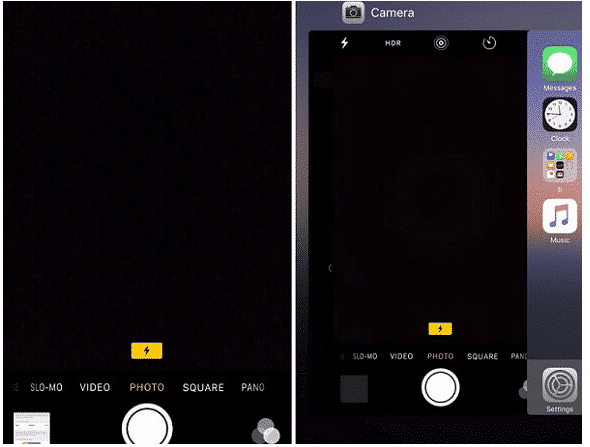
Sometimes the camera app on your iPhone does not get loaded properly, which causes the camera black screen problem. In that case, fix the issue by closing the app of the camera forcefully. To operate such a function, get the preview of the app by tapping the Home button twice. Now, swipe up the interface of the camera and close the cam-app. After doing that, wait for 5 minutes and restart your phone again. This may help to solve the issue.
2: Switch the Front or Rear of the Camera
This trick may help you to deal with the black screen problem without going to an iPhone repair workshop. Sometimes the users observe the front camera of the iPhone is not working properly. In this situation, switch to the rear-cam by tapping on the camera icon and after a few moments when you switch on the front camera, you may find the black screen issue is gone.
3: Switch off the ‘Voice-Over’ Feature
It sounds surprising that black screen issue is observed when a Voice-Over feature is on. You can simply resolve this issue by following some steps. Go to the phone Setting>General>Accessibility and turn off the ‘Voice-Over’ feature. After that wait for a while and again launch the camera app.
4: Restart the iPhone
The common way to fix iPhone camera black screen issue is to reset the power cycle of the device by pressing the Power (Wake/Sleep) button of the device for a few seconds. This will help to display the Power Slider on the screen of the iPhone. After that slide and turn off the phone and wait for 30 seconds before pressing the Power button to turn your device on.
5: Update the iOS Version
There are high chances of black screen issue on the iPhone due to the outdated and unstable version of iOS. So fix the problem by updating the iOS version in the mobile device. Unlock the phone and go to the Setting>General>Software Update. You may find the latest version of iOS here and tap on ‘Update & Download’ or ‘Install Now’ button to update the iOS device to a stable version. However, you need to keep in mind that your phone is charged at least 60% before you start the procedure.
Final Thoughts
If the iPhone users follow all the above-mentioned steps properly, they can solve the black screen issue of the mobile cam without taking help of iPhone camera repair service provider.
Comments
Post a Comment